
Quick answer: A GaN charger does the same job as an old silicon brick in a much smaller body that runs cooler. The number that matters is not the headline wattage but what each port still delivers when several devices are plugged in. For a phone, tablet or MacBook Air, a 100W GaN charger is enough. For a MacBook plus a phone and tablet, get around 200W in total. For a 16-inch MacBook Pro or two laptops, you need 280W with a port that holds 140W no matter what else is connected.
Short on time? Our pick for most setups

Four ports, and a laptop keeps its full power while a phone and tablet charge beside it. Adapters for 150+ countries.
$159 $139Save $20
★★★★★ 4.77 from 137 reviews · Free shipping over $99 · 30-day returns
MacBook Pro 16" or two laptops? Zeus 280W, $189
Ten years ago, I was carrying four separate charging bricks in my bag. A 96W laptop charger, a 20W phone charger, a USB-A power bank, and a bulky universal travel adapter. Each one was heavy, ran hot, and took up half my carry-on. When I started Chargeasap, fixing that problem was the entire point.
GaN (Gallium Nitride) technology changed everything. In this guide, I will explain exactly what GaN is, why it matters, and how to choose the right GaN charger for your specific setup, based on what I have personally tested and what our customers tell us works.
What Is a GaN Charger and Why Does It Matter?
Traditional chargers use silicon to conduct electricity. Silicon works, but it generates a lot of heat. To stop the charger from overheating, manufacturers have to spread the internal components out, which is why old laptop bricks are so large and heavy.
Gallium Nitride is a next-generation semiconductor that conducts electricity far more efficiently than silicon. Because it generates significantly less heat, the components inside a GaN charger can be packed much closer together. The result is a charger that is up to 60% smaller and lighter than its silicon equivalent, while delivering the same or greater power output.
The Navitas Semiconductor GaNFast chips we use in our Zeus charger are a good example: they switch at frequencies up to 10 times higher than silicon, which is what allows us to fit 280 watts of output into a charger that fits in one hand.
The Most Important Thing Nobody Tells You About GaN Chargers
When you see a GaN charger advertised as "100W," that number is the total combined output, not what each port delivers when multiple devices are connected.
This is the single most common source of disappointment I hear from customers who bought a cheap multi-port GaN charger. They plug in their laptop and their phone, and suddenly the laptop is only getting 45W instead of 100W. At that power level, a 16-inch MacBook Pro under load will actually drain its battery while plugged in.
The fix is to buy a charger with enough total wattage overhead that your primary device always gets its full allocation. For a MacBook Pro 16-inch, that means you need a charger with at least 200W of total output to guarantee 140W to the laptop while still powering other devices.
How to Choose the Right GaN Charger
The right charger depends entirely on what you are charging. Here is how I recommend thinking about it:
| Your Setup | What You Need | Recommended Charger |
|---|---|---|
| iPhone or Android only | 20-30W single port | Omega 100W (or Miko 30W, on Kickstarter now) |
| iPhone + AirPods, or iPad + phone | 65-100W, 2 ports | Omega 100W |
| MacBook Air + iPhone + iPad | 100-140W, 3 ports | Omega 200W |
| MacBook Pro 16" + multiple devices | 200W+, guaranteed 140W on port 1 | Zeus 280W |
| Two laptops or heavy travel setup | 280W, dual 140W ports | Zeus 280W |
The three that cover almost everyone

Omega 200W: covers 80% of setups
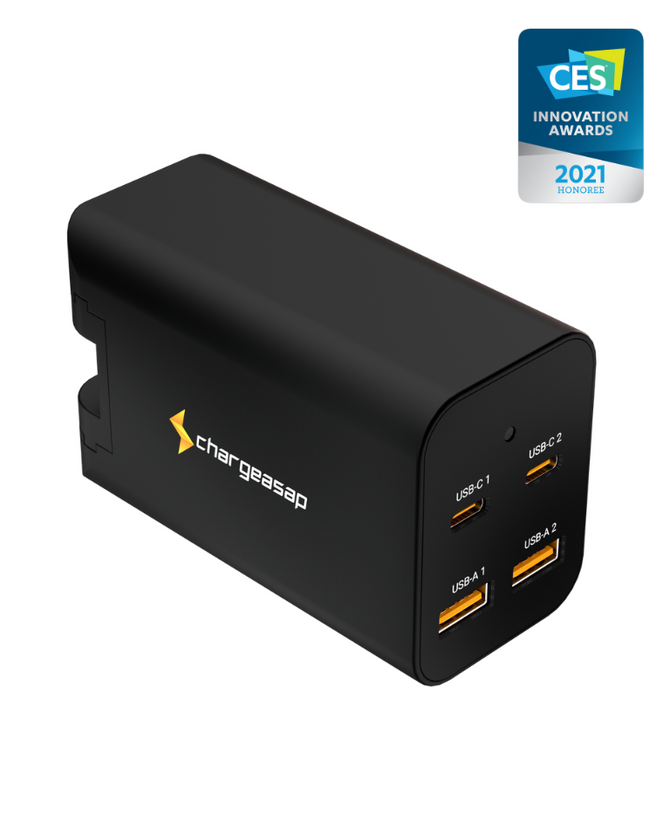
Four ports and enough total output that a laptop keeps its full allocation while a phone and tablet charge alongside it. Folding prongs and adapters for over 150 countries, so it replaces the travel adapter as well.
$139 View

Zeus 280W: MacBook Pro 16" and up
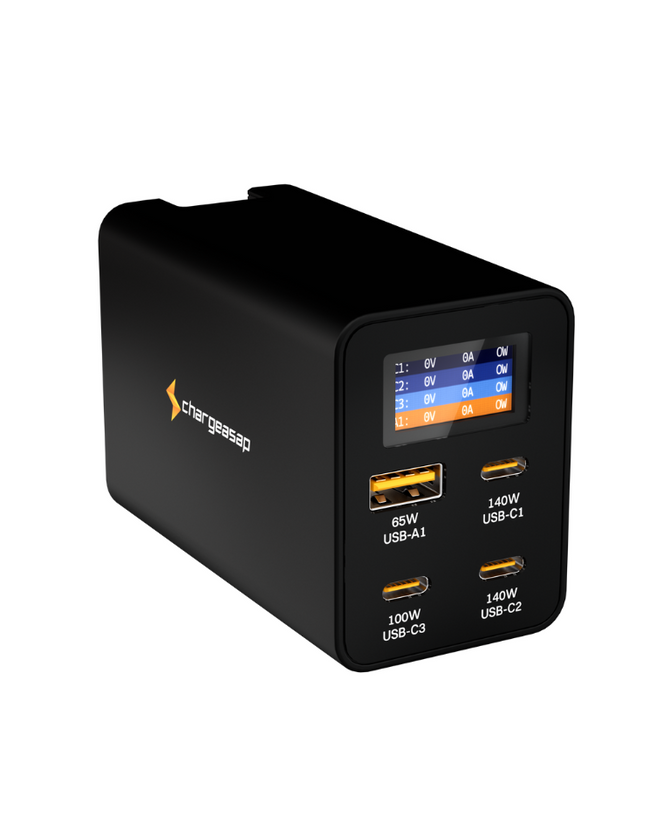
280W across four ports with dual 140W. Port 1 holds 140W no matter what else is plugged in, which is the whole point of this guide: your laptop keeps its 140W while everything else charges.
$189 View

Omega 100W: phone, tablet, MacBook Air
Three ports in a body small enough to live in a bag. The right size if a laptop is not the main thing you are charging, or is an Air rather than a Pro.
$49 View
All three publish a full power distribution table, use premium GaN chips, and come with 30-day returns and a 1-year warranty.
What to Look For on the Spec Sheet
Before buying any GaN charger, check these three things:
1. Power Delivery version. Look for PD 3.1 support. This is the USB-IF standard that enables single-port outputs above 100W. Without PD 3.1, a charger physically cannot deliver 140W to a MacBook Pro.
2. The power distribution table. Reputable brands publish a chart showing exactly what each port outputs when 1, 2, 3, or 4 devices are connected. If a brand does not publish this table, that is a red flag. Our Zeus 280W power distribution table is published on the product page under Tech Specs. Port 1 stays at 140W regardless of what else is plugged in.
3. The chip manufacturer. The quality of the GaN chip determines how efficient and how safe the charger is. Look for Navitas GaNFast, GaN Systems, or Infineon chips. Avoid chargers that do not disclose their chip manufacturer.
What Our Customers Say
Wayne E., a verified buyer from Australia, described exactly the scenario I built Zeus to solve:
"Although I have only had it a couple of days, it has performed as stated. Being able to charge my MacBook Pro, iPad Pro and iPhone from the one device and at full speed is awesome. Finally, the small form factor means it fits amongst other chargers on the same power board and the travel bag will help protect it when I go away."
- Wayne E., verified buyer, Australia
And Alan M., who travels with his family:
"I have two - multiple domestic and international trips - only chargers needed for all our families devices. Both units and half dozen cables in small plastic container keep everything in one place for iPhones, iPad, iWatches, laptops and powerbanks."
- Alan M., verified buyer
Still Not Sure?
If you are unsure which charger is right for you, the Omega 200W covers 80% of use cases. If you own a MacBook Pro 16-inch and charge multiple devices simultaneously, the Zeus 280W is the one to get: USB-C1 keeps 140W whatever else is plugged in.
We have been building GaN chargers since before most people knew what GaN was. Every charger in our range uses premium GaN chips and publishes a full power distribution table.
Still deciding? Start with one of these two
Omega 200W: covers 80% of setups
Four ports and enough total output that a laptop keeps its full allocation while a phone and tablet charge alongside it. Folding prongs and adapters for over 150 countries, so it replaces the travel adapter as well.
$139 View
Zeus 280W: MacBook Pro 16" and up
280W across four ports with dual 140W. Port 1 holds 140W no matter what else is plugged in, which is the whole point of this guide: your laptop keeps its 140W while everything else charges.
$189 View
Mostly charging a phone, tablet or MacBook Air? The Omega 100W is the smaller, cheaper fit, $49.
Shop the full Chargeasap GaN charger range
Vinson is Co-founder at Chargeasap, an Australian charging hardware company that has run 14 crowdfunding campaigns on Kickstarter and Indiegogo and shipped to more than 108,000 customers since 2016. He has personally tested every charger in this guide.
FAQ
What is a GaN charger?
A GaN (Gallium Nitride) charger uses a next-generation semiconductor instead of traditional silicon. GaN generates less heat, which allows manufacturers to build chargers that are significantly smaller and lighter while delivering the same or greater power output.
Is a GaN charger better than a regular charger?
Yes, for most users. GaN chargers are smaller, run cooler, and are more energy-efficient than silicon chargers. At the same wattage, a GaN charger will typically be 40-60% smaller than its silicon equivalent.
What wattage GaN charger do I need for a MacBook Pro?
A MacBook Pro 14-inch needs at least 67W to charge at full speed. A MacBook Pro 16-inch needs 140W. If you want to charge your MacBook Pro alongside other devices without any throttling, you need a charger with a total output of at least 200W, such as the Omega 200W or Zeus 280W.
Does a GaN charger's advertised wattage go to one device?
No. The advertised figure is the total combined output across all ports. Plug in a second or third device and the charger divides that total between them, which is why a 100W charger can drop a laptop to 45W. Check the brand's power distribution table to see what each port actually delivers when several devices are connected.
Can a GaN charger damage my devices?
No. GaN chargers use the same USB Power Delivery (PD) protocols as standard chargers. They negotiate the correct voltage and current with your device before delivering power. A quality GaN charger from a reputable brand is completely safe for all USB-C devices.