Written by Vinson, Cofounder at Chargeasap, with 10 years building and testing portable chargers.
The office charging problem is different from the travel charging problem. When you travel, you need the smallest possible charger that handles every device. In an office, the constraints shift: you need something that sits on a desk without taking up half of it, charges your laptop at full speed during back-to-back meetings, and ideally handles a phone and earbuds at the same time without a cable tangle.
After a decade of building charging hardware and talking to thousands of customers, I have seen the same pattern repeatedly: office workers buy a cheap multi-port USB hub, discover it throttles their MacBook to 30W, and end up keeping their original laptop charger plugged in permanently anyway. This guide explains what actually matters for office charging and which products solve the problem properly.
What Office Workers Actually Need From a Charger
The requirements for a desk charger are specific:
- Full-speed laptop charging: A MacBook Pro 14-inch needs at least 67W. A MacBook Pro 16-inch needs 140W. A Windows ultrabook typically needs 45-65W. If the charger cannot deliver this, your laptop will drain during heavy use even while plugged in.
- At least 2 USB-C ports: One for the laptop, one for a phone or tablet. Most office workers have both on their desk simultaneously.
- Compact footprint: Desk space is limited. A charger the size of a paperback book is not acceptable for a permanent desk setup.
- No cable clutter: Ideally, one charger replaces multiple adapters. The fewer cables running across the desk, the better.
The Problem With Most Multi-Port Chargers
The most common mistake is buying a charger based on the total wattage number on the box. A charger advertised as "100W total" with 4 ports sounds impressive. In practice, many of these split the 100W equally across all ports — meaning each port delivers 25W when all four are in use. A MacBook Pro charging at 25W will drain faster than it charges under load.
The spec that matters is the single-port maximum wattage when other ports are in use. This number is rarely shown prominently on packaging. You have to look at the power distribution table in the product specifications.
A charger that delivers 100W on Port 1 regardless of what is connected to the other ports is a fundamentally different product from one that shares its total wattage across all ports.
The Best Options for Office Workers
For MacBook Pro 16-inch users or anyone with a power-hungry laptop
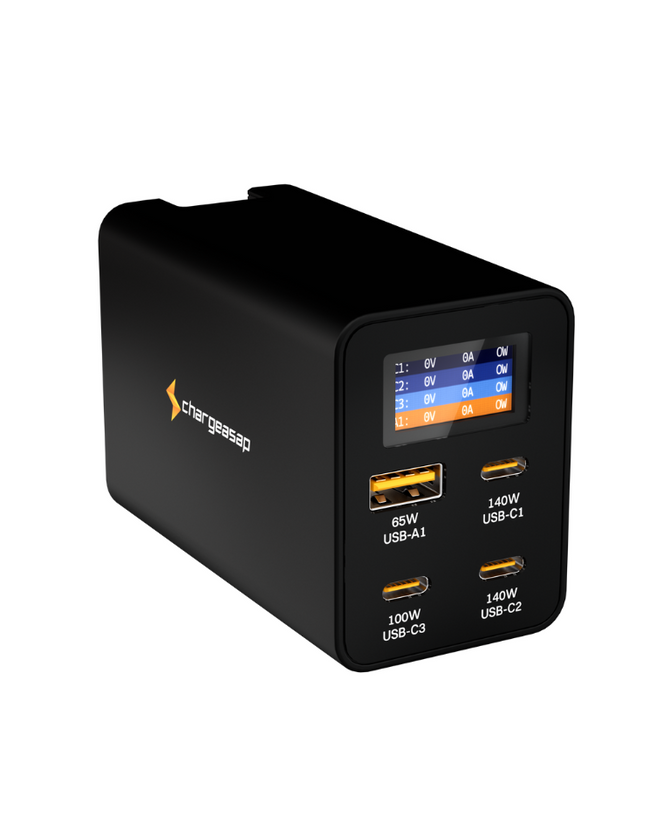
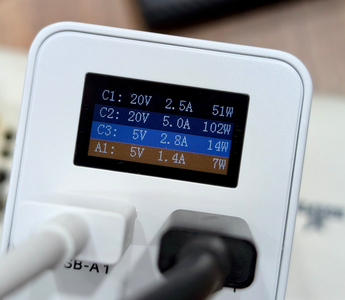
The Zeus 280W GaN Charger is the best desk charger for heavy laptop users. It delivers 140W on Port 1 regardless of what is connected to the other three ports, which means your MacBook Pro 16-inch charges at full speed while your phone, tablet, and earbuds charge simultaneously. The OLED display shows the live wattage on each port, so you can confirm your laptop is receiving full power at any time.
It is larger than a single-device charger, but it replaces four separate chargers. Net desk space is typically reduced, not increased.
For MacBook Air or Windows ultrabook users
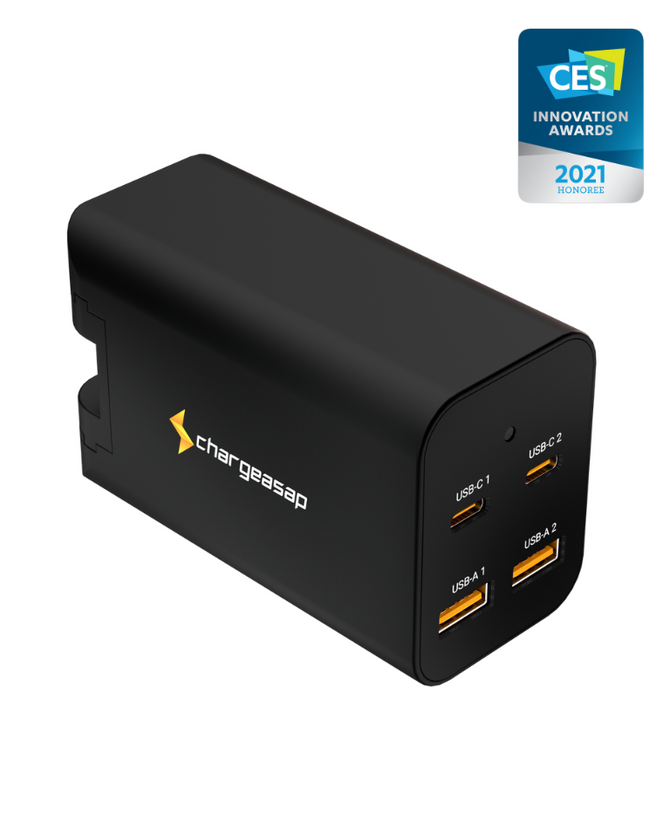
The Omega 200W GaN Charger is the right choice if your laptop does not require 140W. It delivers 100W on its primary port with three additional ports for other devices, in a more compact form factor than the Zeus. For a MacBook Air (which charges at 30-67W), the Omega 200W provides more than enough headroom with room to spare for other devices.
For hot-desking or shared office spaces
If you move between desks or work from multiple locations, the Omega 100W is the most portable full-featured option. It fits in a jacket pocket, delivers 100W on its primary USB-C port, and includes interchangeable international adapters — so it works at home, in the office, and in any meeting room worldwide.
Comparison: Three Options for Office Workers
| Zeus 280W | Omega 200W | Omega 100W | |
|---|---|---|---|
| Max laptop charging | 140W (MBP 16") | 100W (MBP 14") | 100W (MBP 14") |
| Number of ports | 3x USB-C + 1x USB-A | 2x USB-C + 2x USB-A | 2x USB-C + 1x USB-A |
| Laptop power with other devices plugged in | Stays at 140W on USB-C1 | Stays at 100W on USB-C1 | 100W alone, 65W once a second device is plugged in |
| OLED display | Yes | No | No |
| Travel adapters included | US, EU, UK, AU | US, EU, UK, AU | US, EU, UK, AU |
| Best for | Power users, MBP 16" | Most office setups | Hot-deskers, travellers |
What About a Power Bank for the Office?
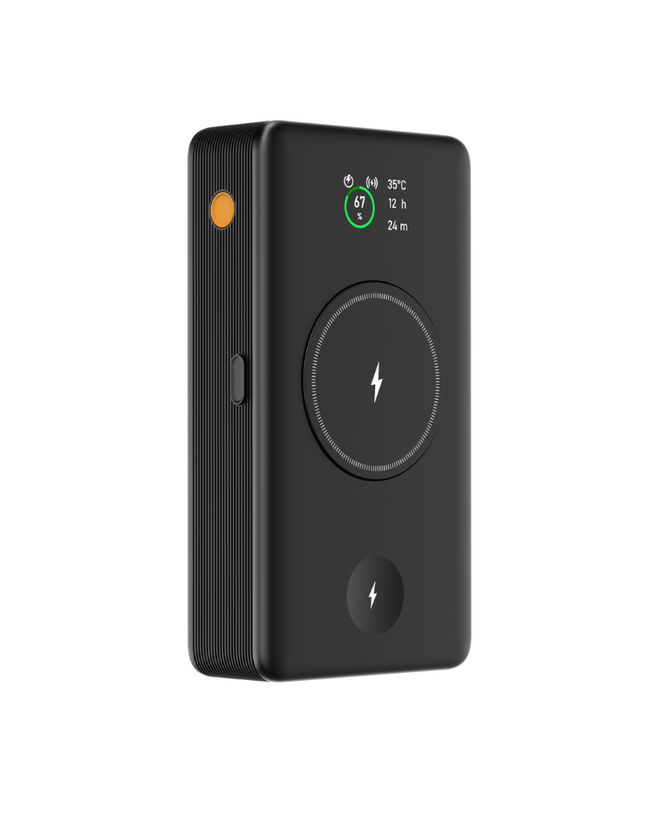
Some office workers prefer a power bank over a wall charger — particularly for hot-desking environments where there may not always be a free power outlet. The Flash Pro Ultra is the only power bank we would recommend for this use case. It delivers 140W via USB-C, charges a MacBook Pro 16-inch at full speed, and holds enough capacity (25,000mAh) to fully charge a MacBook Air and still have charge left for a phone and tablet.
The trade-off is that a power bank needs to be recharged itself. For a permanent desk setup, a wall charger is the better choice. For a hot-desking or meeting-heavy environment where you cannot guarantee a power outlet, the Flash Pro Ultra is the most capable portable option available.
Shop Chargeasap desk chargers for office workers here.
Vinson is Cofounder at Chargeasap, an Australian charging hardware company that has run 14 crowdfunding campaigns on Kickstarter and Indiegogo and shipped to more than 108,000 customers since 2016. He has personally tested every charger in this guide.
FAQ
What is the best portable charger for office workers?
The best charger for most office workers is the Chargeasap Omega 200W. It delivers 100W on its primary USB-C port for full-speed laptop charging, has two additional ports for phone and tablet, and is compact enough to sit on a desk without taking up significant space. For MacBook Pro 16-inch users who need 140W, the Zeus 280W is the correct choice.
Can I charge my MacBook and phone from the same charger at my desk?
Yes, but only if the charger delivers the correct wattage to your laptop when multiple ports are in use. Many multi-port chargers throttle the laptop port when other devices are connected. The Chargeasap Zeus 280W keeps 140W and the Omega 200W keeps 100W on USB-C1, whatever else is plugged in. The Omega 100W gives up to 100W to one device, and 65W to the laptop on USB-C1 once a second device is connected.
Is a power bank or wall charger better for office use?
A wall charger is better for a permanent desk setup — it provides unlimited power without needing to be recharged itself. A power bank is better for hot-desking or meeting-heavy environments where a power outlet is not always available. For most office workers with a fixed desk, a compact GaN wall charger is the right choice.
How many watts do I need to charge a MacBook at my desk?
MacBook Air requires 30-67W for full-speed charging. MacBook Pro 14-inch requires 67-96W. MacBook Pro 16-inch requires 140W. If your charger delivers less than these figures, your MacBook will charge slowly or drain faster than it charges under heavy use.