Quick answer: Match the charger to the screen size. A 16-inch MacBook Pro fast charges at 140W. A 14-inch MacBook Pro fast charges at 96W or more. A MacBook Air fast charges at 70W, or 67W on 13.6-inch models. A smaller charger still works, only slower, and a bigger one is safe because the MacBook takes only what it asks for. Then check the cable, because on a 16-inch it decides whether you get 140W at all.
One charger for any MacBook

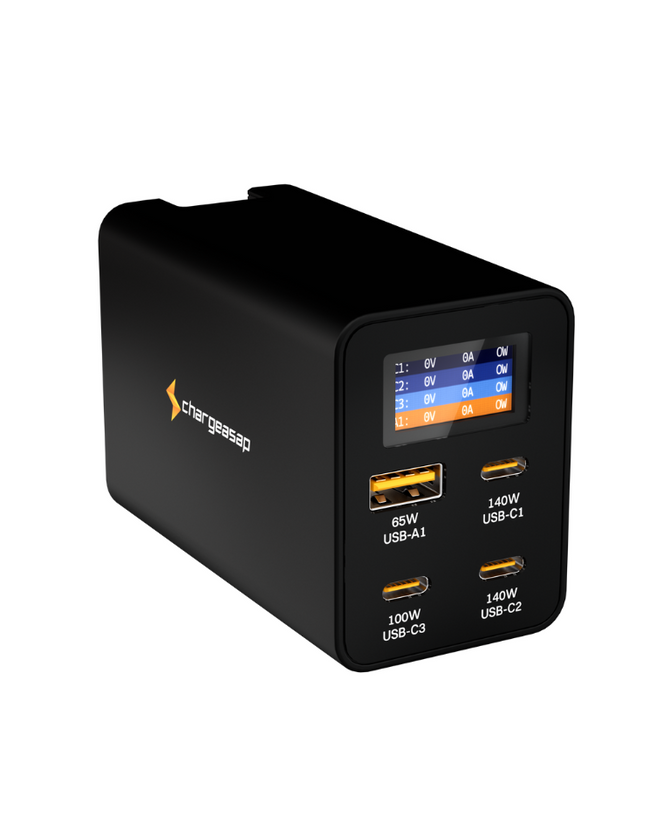
Two USB-C ports that each reach 140W, enough for a 16-inch MacBook Pro with a second laptop beside it. A display shows the watts on every port.
$219 $189
★★★★★ 4.91 from 139 reviews · Free shipping over $99 · Plugs for 150+ countries included
MacBook Air or 14-inch Pro? Omega 100W, $49
MacBook Charger Wattage by Model
Two numbers matter for each MacBook: the charger Apple put in the box, and the wattage Apple lists for fast charging. They are often different. Fast charging means up to 50 percent battery in around 30 minutes.
| MacBook | Fast charge needs | Came in the box |
|---|---|---|
| MacBook Pro 16-inch2021 or later | 140W | 140W |
| MacBook Pro 14-inch2021 or later | 96W or more | 67W, 70W or 96W |
| MacBook Air2022 or later | 70W or more67W on 13.6-inch models | 30W, 35W, 67W or 70W |
| MacBook Neo | Not listed by Apple | 20W |
Older MacBooks charge over USB-C too, but Apple does not list a fast charge option for them. Match the charger they came with, or go higher.
| Older MacBook | Charger it came with |
|---|---|
| MacBook Pro 16-inch (2019) | 96W |
| MacBook Pro 15-inch (2016 or later) | 87W |
| MacBook Pro 13-inch (2016 or later) | 61W |
| MacBook Air (2018 to 2021) | 30W |
Figures are from Apple's support pages Fast charge your MacBook Air or MacBook Pro and Use a power adapter with your Mac, checked October 2026.
Why the Charger in the Box Is Often Not the Fastest
Apple ships the base configuration of several MacBooks with a smaller adapter than the laptop can use. A 14-inch MacBook Pro sold with the 67W or 70W adapter fast charges only when you move to 96W or more. A MacBook Air sold with the 30W or 35W adapter fast charges only at 67W to 70W or more.
So if your MacBook feels slow to fill, check the number printed on the adapter before you blame the battery. The gap between what you were given and what the laptop accepts is where a new charger makes a real difference.
The Cable Matters as Much as the Charger
This is the part most guides skip, and it is where 16-inch owners lose their fast charging without knowing it.
| MacBook | Cable for fast charging |
|---|---|
| MacBook Pro 16-inch, 2021 to early 2023 | USB-C to MagSafe 3 cable only |
| MacBook Pro 16-inch, November 2023 or later | USB-C to MagSafe 3 cable, or a 240W USB-C cable |
| MacBook Pro 14-inch and MacBook Air | USB-C to MagSafe 3 cable, or a USB-C charge cable |
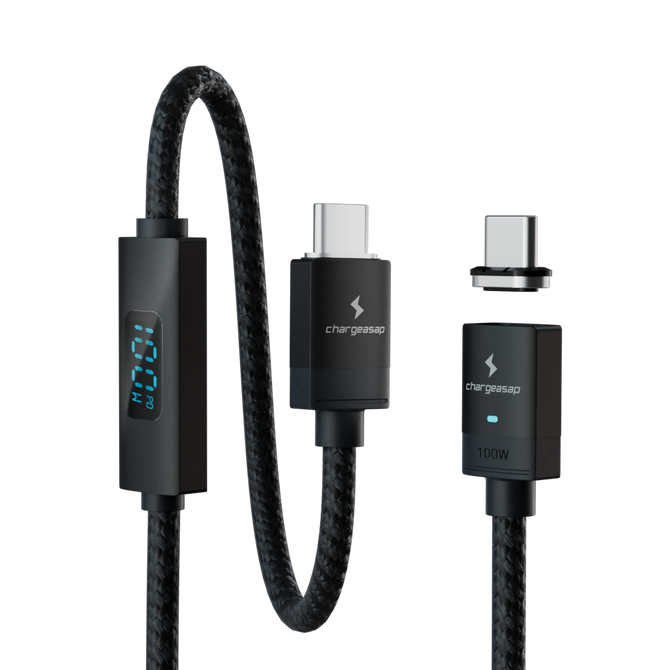
An ordinary USB-C cable is rated for 60W or 100W. Plug one between a 140W charger and a 16-inch MacBook Pro and the laptop charges, but not at 140W. Use the MagSafe 3 cable that came with the laptop, plugged into a 140W USB-C port, or on newer 16-inch models a cable rated for 240W such as our 240W USB-C cable.
Can You Use a Bigger or Smaller Charger?
Bigger is safe. A USB-C charger offers power and the MacBook chooses how much to draw. A 140W charger on a MacBook Air does no harm. It also does not charge the Air any faster than the Air's own limit.
Smaller works, slowly. A 16-inch MacBook Pro will charge from a 67W or 100W charger. It will not fast charge, and under heavy work a small charger can struggle to keep up with what the laptop is using.
Using a 240W Charger With a MacBook
A 240W USB-C charger is safe on any MacBook. It is also no faster than a 140W charger, because no MacBook draws more than 140W. A 16-inch MacBook Pro takes its 140W and leaves the rest unused. A MacBook Air takes far less.
Where "240W" does matter is the cable. On a 16-inch MacBook Pro from November 2023 or later, a USB-C cable rated for 240W is what lets the laptop reach 140W without MagSafe. So a 240W cable is worth having. A 240W charger is only worth paying for if its other ports put the extra power to use.
One Port or Several
Apple's adapters have one port, apart from the 35W dual port model. Most people replacing one want to charge a phone and a tablet from the same plug, and that is where the wattage on the box stops being the whole story.
A multi-port charger shares its total across whatever is connected. A 100W charger with a phone plugged in beside the laptop is no longer giving the laptop 100W. Before you buy, look for two figures: the most a single port can deliver, and what the laptop port still gets when the other ports are in use.
On Zeus 280W, USB-C1 and USB-C2 each deliver up to 140W, and both can do it together. Add a third device and the split changes, for example to 140W, 100W and 15W. The display on the front shows what each port is giving at that moment, so you are not guessing.
Which one fits your MacBook

Omega 100W, for a MacBook Air or 14-inch Pro
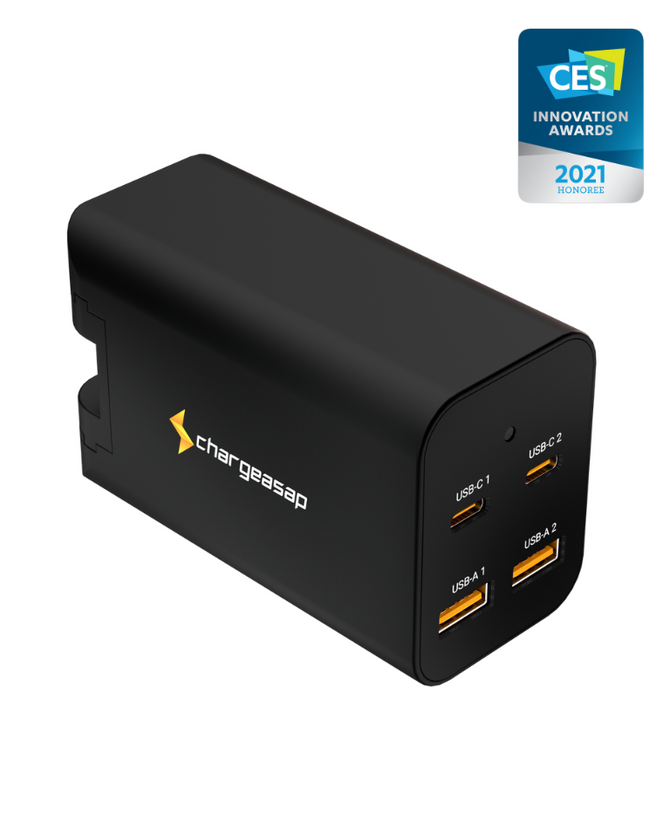
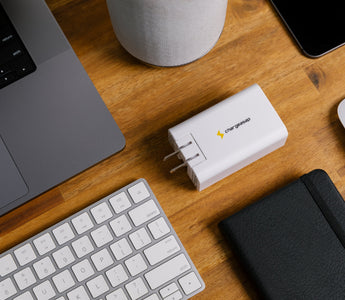
100W in total across two USB-C ports and one USB-A. Enough to fast charge an Air or a 14-inch MacBook Pro on its own, in a body small enough for a bag.
$69 $49 View

Omega 200W, for a 14-inch Pro plus everything else
Two USB-C ports at up to 100W each and two USB-A, so a 14-inch MacBook Pro and an iPad both charge properly from one plug.
$159 $139 View

Zeus 280W, for a 16-inch Pro or two laptops
Two USB-C ports that each reach 140W, a third at up to 100W and a USB-A port. A 16-inch MacBook Pro gets its 140W with a second laptop charging beside it.
$219 $189 View
Zeus 280W and Omega 200W ship with plugs for 150+ countries. For 140W over USB-C on a newer 16-inch, add the 240W USB-C cable, $25.
When Apple's Own Charger Is the Right Answer
If you charge one MacBook at one desk and the adapter in the box already matches the fast charge figure in the table, you do not need anything else. Apple's adapters are well made and the 140W model is compact for its output.
A different charger earns its place in three cases: your MacBook came with a smaller adapter than it can use, you want to charge a phone, tablet or second laptop from the same plug, or the charger travels and you would rather carry one item than three.
Vinson is Cofounder at Chargeasap, an Australian charging hardware company that has run 14 crowdfunding campaigns on Kickstarter and Indiegogo and shipped to more than 108,000 customers since 2016. MacBook figures are taken from Apple's published support pages.
FAQ
What wattage charger does a MacBook Pro need?
A 16-inch MacBook Pro fast charges at 140W. A 14-inch MacBook Pro fast charges at 96W or more, and was sold with a 67W, 70W or 96W adapter depending on the configuration. Older 13-inch models came with 61W and 15-inch models with 87W. A lower wattage charger still works, it is only slower.
Can I use a 100W charger on a 16-inch MacBook Pro?
Yes. It will charge the laptop, but not at the fast charge rate, because Apple lists 140W for fast charging on the 16-inch. Under heavy work a smaller charger can struggle to keep up, so the battery fills slowly.
Is it safe to use a higher wattage charger than the one that came with my MacBook?
Yes. The MacBook decides how much power to draw, so a 140W or 280W USB-C charger will not push more into a MacBook Air than it asks for. It will not charge faster than the laptop's own limit either.
Do I need a MagSafe cable to fast charge a MacBook?
On a MacBook Air and a 14-inch MacBook Pro, no: Apple lists either the USB-C to MagSafe 3 cable or a USB-C charge cable. On a 16-inch MacBook Pro from 2021 to early 2023, 140W fast charging needs the USB-C to MagSafe 3 cable. On 16-inch models from November 2023 onward, a 240W USB-C cable also works.
Can I use a 240W charger on a MacBook?
Yes. A 240W USB-C charger is safe on any MacBook, because the laptop sets how much power it draws. No MacBook takes more than 140W, so a 240W charger will not charge it faster than a 140W one. The spare capacity is only useful if the charger has other ports sharing it.
Which USB-C port charges a MacBook Pro?
Any of them. Every USB-C or Thunderbolt port on a MacBook Pro charges the laptop, and so does the MagSafe 3 port on models that have one. On a 16-inch MacBook Pro from 2021 to early 2023, use the MagSafe 3 port if you want the 140W fast charge rate.
What charger does a MacBook Air need?
A MacBook Air from 2022 or later was sold with a 30W, 35W, 67W or 70W adapter. To fast charge it, Apple lists 70W or more, or 67W on 13.6-inch models. Any USB-C Power Delivery charger at that level will do it.