Quick answer: A warm charger is normal and Apple says so directly. A charger you cannot hold for five seconds is not. In order of how often it turns out to be the cause: the charger has nowhere to shed heat, it is running at its maximum rating continuously, the cable is faulty, or the charger is counterfeit. Work through the checks below. If it is discoloured, deformed, smells of burning, or shuts itself off repeatedly, stop using it now.
Ready to replace a charger that runs hot?

Enough headroom that a hard-working laptop uses part of its capacity, not all of it, so it runs cooler. Four ports.
$139
★★★★★ 4.77 from 138 reviews · Free shipping over $99 · 30-day returns
Replacing a phone charger? Omega 100W, $49
Warm Is Normal. Apple Says So.
Every charger converts mains voltage down to something your device can use, and no conversion is perfectly efficient. The energy that does not reach your laptop leaves as heat. That is physics, not a defect.
Apple states it plainly in its own documentation: the USB-C power adapter can become warm during normal use, and it should be used in a well ventilated area. The same page warns against placing an adapter on couches, carpeting, bedding or pillows.
So the question is not whether your charger is warm. It is whether it is hot, and whether it has a reason to be.
The Five Second Test
You do not need a thermometer. Safety standards for consumer electronics set touch temperature limits based on how long a person can be expected to hold a surface, and for sustained contact with a plastic enclosure the limit sits around the high forties in Celsius. In practice that translates to a test you can do right now.
- You can hold it comfortably and indefinitely. Normal. Nothing to do.
- You can hold it for five seconds but would rather not. Working hard, and probably fine, but check the ventilation and load sections below.
- You cannot hold it for five seconds. Something is wrong. Do not ignore it.
- It is too hot to touch at all. Unplug it now and read the counterfeit section.
Cause One: It Has Nowhere to Put the Heat
This is the most common cause and it costs nothing to fix. A charger sheds heat through its casing into the surrounding air. Put it somewhere with no airflow and the heat has nowhere to go.
The usual offenders are a charger plugged in behind a sofa, under a bed, inside a backpack while charging, buried under a duvet, or sitting on a thick carpet. A power strip crammed behind a desk with six other adapters touching each other is the same problem.
The fix: give it air on at least three sides, keep it off soft surfaces, and do not charge inside a closed bag. If the charger cools down noticeably once you move it, you have found your answer and there is nothing else wrong.
Cause Two: It Is Running at Its Ceiling All Day
This is the cause people miss, and it is the one worth understanding properly.
A charger runs hottest when it runs at full output. A 96W adapter feeding a 16 inch MacBook Pro that is compiling, rendering or running an external display is not doing 60 percent of its job. It is doing 100 percent of its job, continuously, for hours. Add a phone on the same adapter through a hub and it is being asked for more than it has.
Heat, in that situation, is not a fault. It is the charger telling you it has no headroom left. A charger sized with room to spare does the same work at a lower percentage of its rating, and runs cooler for it. This is why the same laptop can feel fine on one charger and cook another.
The fix: match the charger to the real load, not the minimum that technically works. If you are regularly running a laptop plus a phone plus a tablet through one adapter, an adapter with genuine headroom will run cooler and last longer.
Cause Three: The Cable, Not the Charger
USB-C cables are not interchangeable. Some carry data only and will not charge at all. Others are rated well below the power your laptop wants, and a cable operating beyond its rating heats up at the connector.
Apple's guidance is specific here. If charging works with a different cable, or only works when you wiggle the connector, stop using that cable and have it evaluated. A connector that is warm while the charger body is cool points at the cable every time.
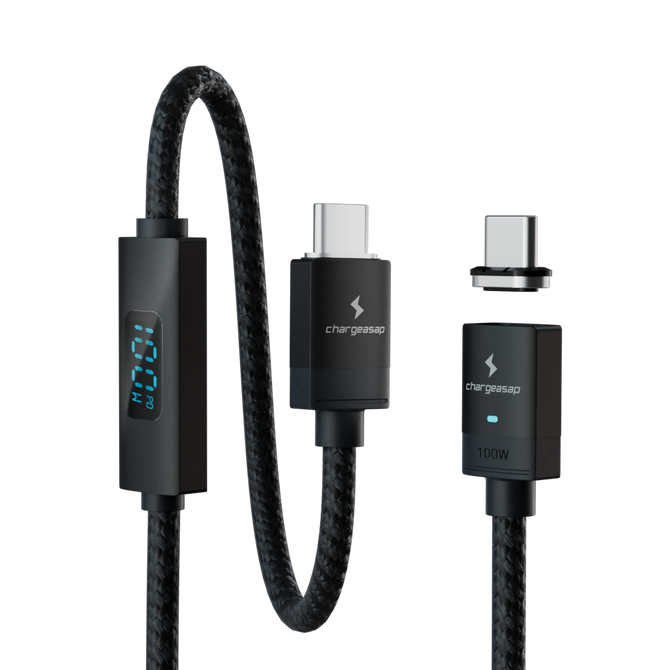
The fix: swap in a cable you know is rated for the wattage, ideally 100W or 240W rated, and see whether the heat follows the cable or stays with the charger.
Cause Four: It Is Not a Real Apple Charger
This is the one that matters most, because it is the only cause on this list that is genuinely dangerous rather than merely annoying.
Counterfeit Apple chargers are widespread, convincing, and overwhelmingly unsafe. Electrical Safety First, a UK charity, tested 64 counterfeit and lookalike chargers with Apple's assistance. The results were not marginal:
- 49 out of 50 UK chargers failed basic safety checks.
- 23 failed electrical strength testing, which means a risk of electrocution rather than inconvenience.
- 68 percent presented a serious shock hazard from inadequate internal insulation and sub-standard components.
- 15 had plug pins weak enough to break off inside a socket, leaving live contacts exposed.
- All of them carried incorrect or fraudulent safety markings.
The reason counterfeits run hot is the reason they are dangerous. The components that cost money in a charger are the ones that manage heat and isolate you from mains voltage. Those are the first things removed to hit a price. Excessive heat is often the only warning you get before something worse.
How to tell whether yours is genuine
- Weight. Fakes are usually noticeably lighter, because the transformer and isolation components are missing or undersized.
- The pins. Genuine pins are solid and do not flex. If they wobble in the housing, that is a serious finding.
- The moulding and print. Blurred text, uneven seams, and rough plastic edges are all signals.
- Where you bought it. A third party marketplace listing at a fraction of retail is the single strongest predictor.
- Safety markings. Present on every counterfeit in the study above, so their presence proves nothing. Their absence proves plenty.
Stop Using It Immediately If
- It is too hot to touch at all, not merely uncomfortable.
- The casing is discoloured, deformed, or the seams have opened.
- There is any smell of burning or hot plastic.
- It shuts itself off repeatedly. That is thermal protection operating, and it is the last line of defence, not a normal state.
- You see sparking from anywhere other than the instant of first contact with the socket.
- The plug pins are loose, bent or discoloured.
On repeated shutdowns: a charger that cuts out and recovers is not coping. Apple notes that an adapter shutting off at known good outlets can also indicate electrical line noise, which an uninterruptible power supply or a different circuit will resolve. Either way, a charger that keeps shutting down needs investigating rather than resetting.
Symptom to Cause, At a Glance
| What you are seeing | Most likely cause | What to do |
|---|---|---|
| Warm but comfortable to hold | Normal operation | Nothing |
| Hot, but cools when moved | No airflow where it was sitting | Give it air on three sides, keep it off soft surfaces |
| Hot whenever the laptop is working hard | Running at its maximum rating | Use a charger with headroom for the real load |
| Connector hot, charger body cool | The cable, not the charger | Swap to a cable rated for the wattage |
| Very hot, light in the hand, bought cheaply online | Counterfeit | Stop using it and replace it |
| Shuts off and restarts repeatedly | Thermal protection, or line noise | Stop using it, try another circuit, replace if it persists |
| Discoloured, deformed, or smells of burning | Component failure | Unplug now, do not use again |
If You Are Replacing It, Buy Headroom
The mistake most people make after a charger overheats is to replace it with the same rating. If the old one was running at its ceiling, the new one will too. Your device only ever draws what it needs, so a higher-rated charger does not push more power into it. It simply does the same work at a lower percentage of its capacity, and runs cooler for it.
Chargers with headroom to spare

Omega 200W: the laptop replacement
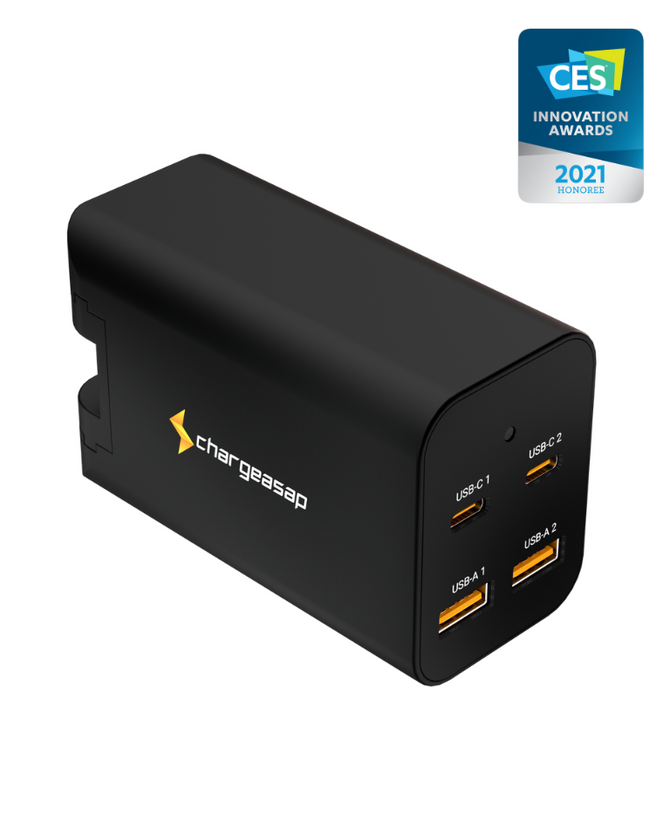
200W across two USB-C and two USB-A ports, so a hard-working laptop uses a portion of what the charger can supply rather than all of it, and the phone and tablet beside it are not competing for what is left. Folding prongs and adapters for 150+ countries, so it replaces the travel adapter too.
$139 View

Zeus 280W: a full desk, or two laptops
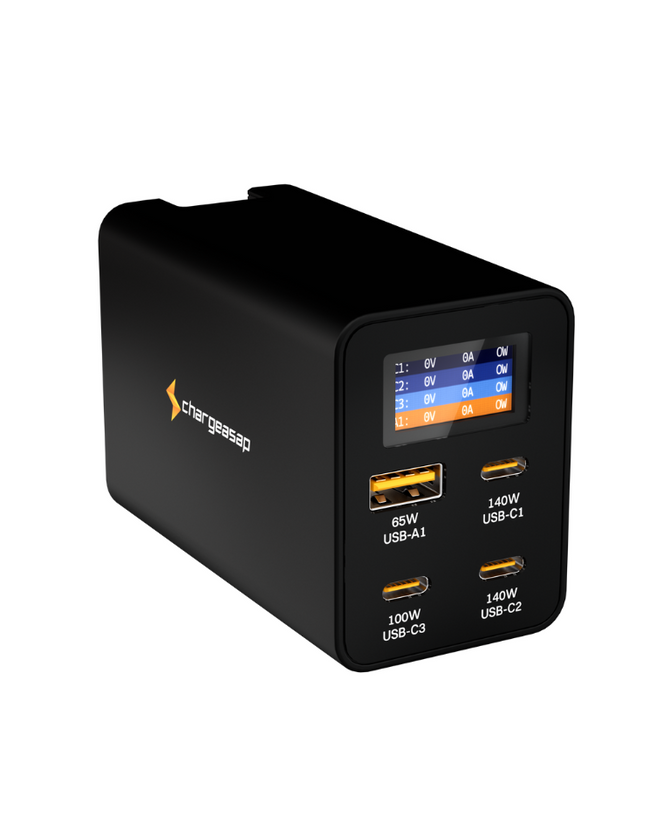
280W across four ports, with a live wattage display so you can see what each device is actually drawing instead of guessing. The most headroom we make.
$189 View

Omega 100W: if it is a phone charger
If the adapter that overheated was a small phone brick rather than a laptop charger, this is the straight swap. 100W of GaN charging a phone never comes close to its limit.
$49 View
All three are GaN, which switches more efficiently than the silicon in most bundled adapters, so less of the power becomes waste heat before headroom is even counted.
Compare all Chargeasap GaN chargers
Vinson is Cofounder at Chargeasap, an Australian charging hardware company that has run 14 crowdfunding campaigns on Kickstarter and Indiegogo and shipped to more than 108,000 customers since 2016.
FAQ
Is it normal for an Apple charger to get hot?
Warm is normal. Apple states directly that a USB-C power adapter can become warm during normal use and should be used in a well ventilated area. Hot is different. If you cannot hold the charger comfortably for five seconds, check that it has airflow, that the cable is rated correctly, and that the charger is genuine.
Why does my MacBook charger get so hot?
Usually one of four reasons: it has no airflow because it is on carpet, bedding or inside a bag, it is running at its maximum rating continuously because the laptop is working hard, the cable is faulty or underrated, or the charger is counterfeit. Move it somewhere ventilated first, since that is the most common cause and costs nothing to test.
Can an overheating charger start a fire?
A genuine charger from a reputable brand has thermal protection designed to shut it down before that point. Counterfeits frequently do not. Electrical Safety First tested 64 counterfeit and lookalike Apple chargers and 49 of the 50 UK units failed basic safety checks, with 23 failing electrical strength tests. If your charger is very hot, unusually light, and was bought cheaply from a marketplace listing, stop using it.
How can I tell if my Apple charger is fake?
Check the weight, since counterfeits are usually much lighter because the isolation and heat management components are missing. Check whether the plug pins are solid or flex in the housing. Look for blurred printing, uneven seams and rough plastic edges. Note that counterfeits routinely carry fraudulent safety markings, so the presence of a marking proves nothing on its own.
Will a higher wattage charger fix the overheating?
Often, yes, if the cause is that the existing charger is running at its ceiling. A charger with headroom does the same work at a lower percentage of its rating and runs cooler as a result. Your device only draws what it needs, so a higher rated charger does not push more power into it.