It can be a bit of a shock when your charging station suddenly stops working. One minute everything is charging fine, the next your phone, watch, or AirPods are completely flat. We count on our gear working. That’s why when something like your Apple charging station won’t power on, it quickly turns from a small hiccup to a bigger hassle.
We know how frustrating this can be, especially when you’re low on time or on the move. Before you start replacing cables or searching for a new charger, it’s worth checking a few simple things that might be behind the problem. Let’s go through what you can do if your charging station has stopped working.
Check the Basics First
Sometimes, the issue isn’t with your charging station at all. Before digging deeper, try running through this quick checklist:
• Make sure the wall socket or outlet you’re using actually has power. Try plugging in a lamp or something simple to test it.
• Check the main switch on your powerboard or wall. It might’ve been flicked off without you realising.
• Give the cable a once-over. Look for worn spots, twists, or signs of damage near the plug or around tight bends.
• Confirm the cable is properly connected at both ends. A half-plugged connection can stop things from charging altogether.
These quick checks only take a couple of minutes, but they’re easy to overlook if you’re in a rush or already feeling annoyed. Starting here can save you from going down a longer troubleshooting path.
Look Over the Charging Station Carefully
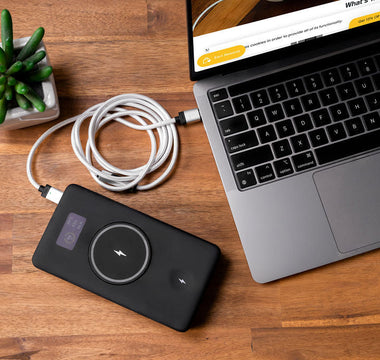
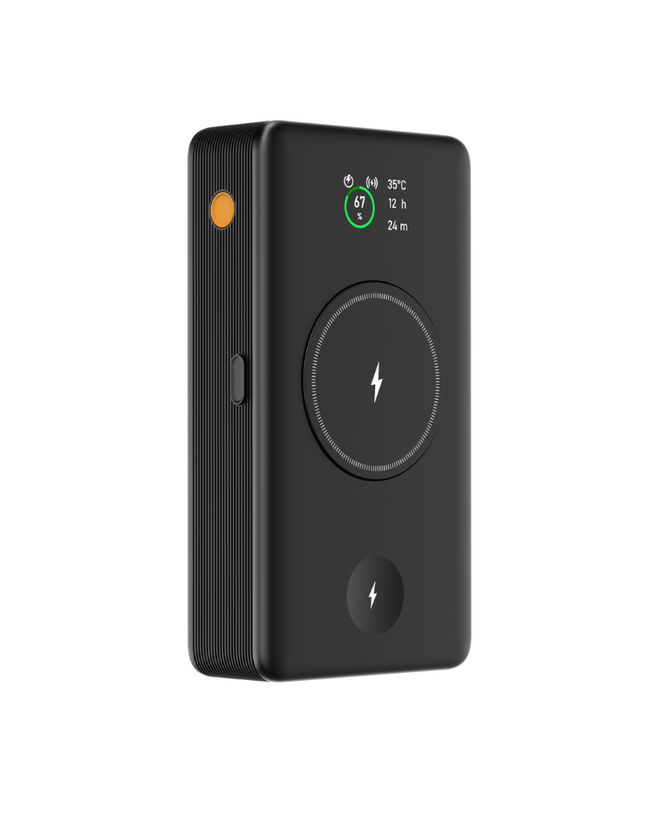
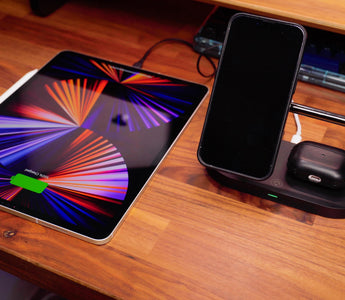
If the basics check out, it’s time to look a bit closer at the charging station itself. Sometimes small signs can point you in the right direction. Some models, like our Omni 3-in-1 wireless magnetic charging station for iPhone, Apple Watch, and AirPods, use MagSafe-style magnetic alignment and built-in safety features to help manage heat and overcharging.
• Feel the unit for warmth. If it's gotten too hot, it might shut itself off to prevent damage.
• Look out for any odd marks, burn smells, or changes to the surface. These might mean something's gone wrong inside.
• Try connecting a different Apple device, just in case your usual one has its own battery charge or port issue.
It’s also worth switching in a second cable or plug if you’ve got them around. A dodgy cord might seem fine on the outside while not working properly inside. If the issue clears up with new parts, then you know what needs replacing next.
Don’t Ignore Software Updates or Glitches
It might sound strange, but charging problems don’t always come from physical damage. Sometimes, the software on your Apple device can block or interrupt charging.
Try these quick steps:
1. Restart your device. A fresh reboot can clear background errors or bugs you didn’t know were running.
2. Check your device settings for any restrictions, including battery protections or charging limits.
3. Look to see if a system update is waiting. Some versions of iOS adjust how accessories like charging stations work.
If your Apple charging station has stopped working with one specific device, and nothing’s wrong with the outlet or cable, then the issue could be in the background settings. A reset might be all it takes to get it going again.
Think About the Weather and Conditions
It’s summer in Sydney when this post goes live, and heat plays a bigger part in electronics than most people realise. Your charging gear might be sitting on a bench in full sun or left in a hot car, especially if you’ve just come back from the beach or a road trip.
Electronics and heat don’t mix well. Charging stations might stop working to protect themselves. If this could be the case, try this:
1. Unplug the unit fully and move it to a cool space with shade or indoor air.
2. Let it rest untouched for a while before testing it again.
3. Don’t plug it back in until both the station and your device feel cool to the touch.
A simple cooldown fix only takes a bit of patience, but it’s better than pushing through and risking more damage.
When It’s Time to Get Help
If nothing has worked so far, the fault likely sits inside the charging station itself. While it may be tempting to take it apart or try a fix yourself, we suggest playing it safe and avoiding this. Internal parts are easy to break or short out.
At this point, the best step is to stop using the station and contact the support place where you first bought it. Let them know what’s going on and walk through the checks you’ve already tried. That way you’re less likely to repeat anything and more likely to find a useful fix (or replacement path) quickly.
We don’t recommend trying to repair charging stations at home. Safety comes first, especially with electronics that sit close to beds, desks, or couches.
Keep Charging Easy on Your Next Trip
When things stop working suddenly, it’s natural to jump to the worst-case guess. But often, power issues come down to something small and fixable. Loose cables, tripped switches, or overheated gear can throw things off. Magnetic wireless stations from Chargeasap are designed to snap your iPhone into place, which helps keep things aligned and reduces interruptions to charging.
The next time your Apple charging station won’t power on, run through those basic checks with a clear head. Taking a calm, step-by-step approach means less stress and fewer wasted replacements. With summer in full swing, it helps to keep your gear somewhere cool, limit direct sunlight, and double-check it after longer trips away from home.
These small habits can make a big difference when you’re relying on your charging station to keep things ticking.
When your setup isn't working like it should, it may be time to check if your current gear suits your needs. At Chargeasap, we keep a close eye on how our charging options fit different devices, daily routines, and the hot summer conditions in Sydney. If you need an upgrade or something more reliable, our range helps you stay connected without hassle. Consider a new Apple charging station built for consistency and ease. Feel free to contact us with any questions.